Why Your Emails Land in Spam (And How to Fix It)
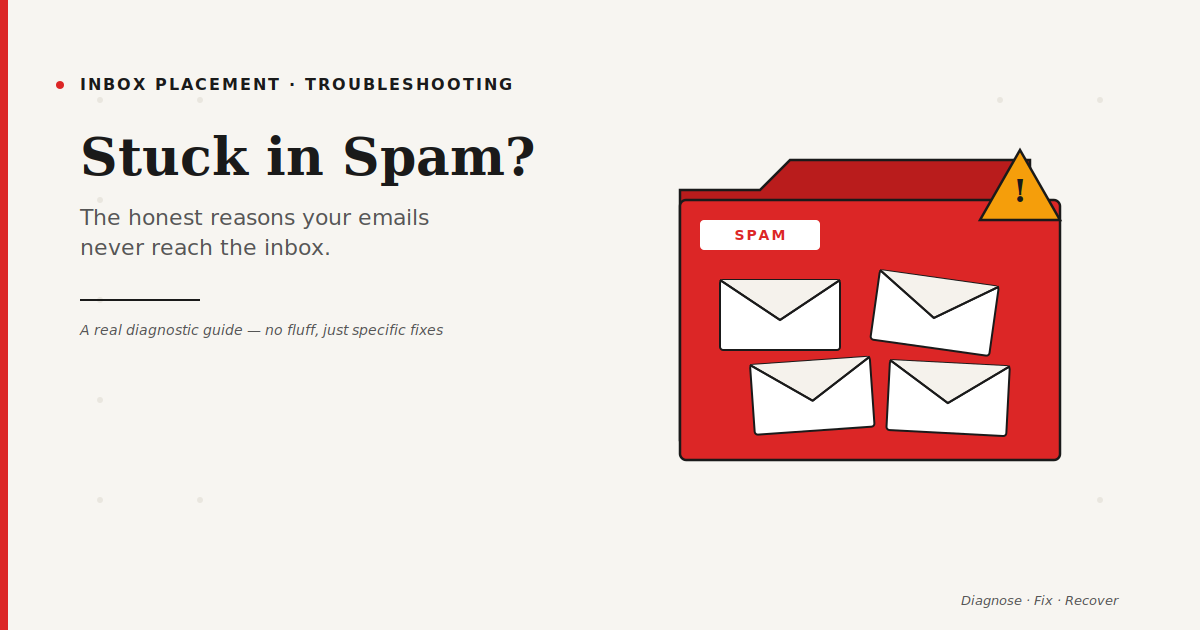
There's a specific kind of panic that hits when you realize your emails are landing in spam.
You send an important announcement. Silence. You ask a customer if they got it. They check their spam folder. "Oh, here it is." That tiny moment is awful — because it means every email you've sent for who knows how long has been meeting the same fate.
I've been through this more than once. Helped others through it many times. And the truth is, the fix depends entirely on why your emails are getting filtered. So before anything else, we need to diagnose. Then we fix.
What Actually Happens When an Email Goes to Spam
Here's what's going on behind the scenes. When you send an email, the receiving mailbox provider (Gmail, Outlook, Yahoo, Apple Mail) runs it through dozens of checks in about 200 milliseconds.
They check your authentication records. They look at your domain's reputation. They analyze the content. They compare your email patterns to known spam signatures. They look at how similar messages have been treated by other users. They check if your sending IP is on any blocklist.
Each check contributes to a score. Cross a threshold, and your email goes to spam. It's not one thing that sends you there. It's the accumulation.
So when someone asks me "why is my email going to spam?" — the honest answer is usually "many small things at once."
The Most Common Reasons (In the Order I Check Them)
When I diagnose a spam problem, I go through this checklist. You can too.
1. Your Domain Authentication Is Broken or Missing
This is the #1 cause, by a long way. No SPF. Misconfigured DKIM. Missing DMARC. Or all three authenticated but not aligned with the domain you're sending from.
Run a test email through Mail-Tester.com. It gives you a score out of 10 and tells you exactly which authentication checks pass or fail. If you're scoring below 8, fix this first. Nothing else matters if your authentication is broken.
2. Your Sending Domain Has a Bad Reputation
Every domain builds up a reputation over time. Send to dead addresses, get spam complaints, send inconsistently — reputation drops. Drop too low and inbox placement collapses.
Check Google Postmaster Tools for your domain. If you see "low" or "bad" reputation, that's your answer. Rebuilding takes weeks of careful sending.
3. Your List Is Dirty
If your bounce rate is over 2%, you're signaling to mailbox providers that you don't maintain your list. That alone can push you into spam. Worse: some invalid addresses are spam traps. Hit one of those, and your reputation takes a serious hit instantly.
Run your list through an email checker before your next send. Remove every hard bounce from the past 6 months. Suppress anyone who hasn't engaged in over 90 days.
4. Your Content Looks Like Spam
Spam filters still analyze your content, even if engagement matters more than it used to. The things that hurt you:
All-caps words in the subject line. Too many exclamation marks. Spammy phrases stacked together ("FREE! ACT NOW! LIMITED TIME!"). Image-heavy emails with almost no text. Shortened URLs (bit.ly, tinyurl). Generic "from" names like "no-reply" or "info." Missing or hidden unsubscribe link.
Rewrite your email like a human wrote it to another human. The difference is usually obvious.
5. You're Sending to People Who Don't Want It
This is the harsh one. If your open rates are below 10%, your click rates below 1%, and your unsubscribe rate climbing — the mailbox providers are telling you something. Your content isn't wanted.
The fix isn't better design. It's better targeting, better segmentation, and in many cases, sending to fewer people more often.
6. Your Sending Behavior Looks Automated
Spam filters look at patterns. Sending 50,000 emails at exactly the same second every Tuesday is a pattern. Sending from a domain that was registered 3 days ago is a pattern. Sending a massive first campaign with no previous history is a pattern.
Real senders build up gradually. Real senders have varied send times. Real senders have a history. If you look automated, you get treated like a bot.
The Diagnostic Workflow I Use
When someone hands me a spam problem, here's exactly what I do, in order.
Step 1: Run a test email through Mail-Tester. Get the baseline score.
Step 2: Check SPF, DKIM, DMARC with MXToolbox. Fix any authentication issues.
Step 3: Log into Google Postmaster Tools. Check domain reputation, IP reputation, and complaint rate.
Step 4: Pull recent campaign metrics. Bounce rate, complaint rate, open rate trend.
Step 5: Check the subscription source. Where did these subscribers come from? Are they truly opt-in?
Step 6: Look at the actual content. Is it visually normal? Text-heavy enough? Personalized?
Step 7: Check sending frequency and consistency. Any recent volume spikes?
Nine times out of ten, the root cause shows up in one of steps 2 through 5.
How Long Does Recovery Take?
This is the part nobody wants to hear: you can damage your reputation in a day, but rebuilding it takes weeks.
Minor issues (a few bad sends, some bounces) typically resolve in 2-3 weeks of clean sending. Moderate damage (poor reputation scores in Postmaster) takes 4-6 weeks. Serious issues (blocklist entries, mass complaints) can take 2-3 months to fully recover from.
During recovery, you send less, not more. You send only to your most engaged subscribers. You avoid promotional language. You maintain tight list hygiene. It's boring. It works.
Things That Don't Fix Spam Issues (Despite What People Say)
Some myths keep circulating. Let me kill a few.
"Asking subscribers to whitelist your email." Nice idea. Almost no one does it. You cannot rely on this as a strategy.
"Using a brand new domain every time you have deliverability issues." This works temporarily, then the new domain gets flagged too. You're just delaying the reckoning.
"Sending at specific 'magic' times." Send time optimization matters for engagement, not for bypassing spam filters. The filters don't care if it's 10am or 3pm.
"Including the word 'unsubscribe' vs 'opt out.'" Filters are far more sophisticated than keyword matching. Focus on the bigger signals.
What Gmail Promotions Tab Actually Means
Real quick, because people confuse this: Gmail's Promotions tab is not spam. It's a category within the inbox. Emails there are still delivered, just sorted into a separate view.
Landing in Promotions is usually fine for marketing emails. Landing in Spam is a problem. Don't spend enormous energy fighting the Promotions tab — it's not worth it.
Final Thought
Getting out of spam is not about finding the one hidden trick. It's about doing a dozen things well and consistently.
Clean authentication. Healthy list. Honest content. Genuine engagement. Patient recovery. That's it.
The inbox isn't a fight you win once. It's a discipline you keep. Senders who accept that end up with the kind of deliverability their competitors envy.
FAQ: Emails in Spam
How do I know if my emails are going to spam?
Use Mail-Tester.com for a free diagnostic. For ongoing monitoring, set up Google Postmaster Tools. For real-world testing across providers, tools like GlockApps run tests across Gmail, Outlook, Yahoo, and more.
Can I ask Gmail to move my emails out of spam?
You can't directly, but your recipients can. When they mark your email as "Not Spam" or move it from spam to inbox, it sends a positive signal. Enough of those signals over time help your reputation recover.
Does the content of my email affect spam filtering?
Yes, but less than most people think. Content matters, but sender reputation and engagement matter much more. A reputable sender can include "free" in a subject line and still reach the inbox. A bad sender cannot.
Why do my test emails to myself work fine, but real subscribers say they don't get anything?
Mailbox providers treat emails you send to yourself differently from emails you send to strangers. Self-sends skip many reputation checks. Always test across multiple providers and with real test addresses, not just your own inbox.
How can I prevent my emails from going to spam in the future?
Authenticate your domain (SPF, DKIM, DMARC). Keep your list clean. Only email people who engaged recently. Monitor your reputation with Google Postmaster Tools. Send consistently. And never buy email lists — that's a shortcut to spam folder permanence.
Related Reading
- Email Checker: Why Skipping This Step Is Killing Your Campaigns
- How to Improve Email Deliverability: A Practical Guide
- SPF, DKIM and DMARC Explained Without the Jargon
- Email Warm-Up: The First 30 Days of a New Sending Domain
- Cold Email Templates That Don't Feel Like Cold Emails
- The Best Email Marketing Tools Compared